The Defensible AI Platform
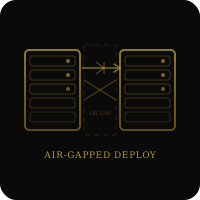
Air-Gapped Deployment Guide
Deploy enterprise AI in completely isolated networks. No internet connectivity required. Built for defense contractors, classified systems, and critical infrastructure.
What is Air-Gapped Deployment?
An air-gapped deployment means Datacendia runs entirely within your isolated network with zero external connectivity. No internet access. No cloud APIs. No data leaving your infrastructure. This is the only deployment model that meets ITAR, classified processing, and critical infrastructure security requirements.
Air-gapped vs. VPN or firewalled networks: A VPN or firewall-protected network still has internet connectivity—it's just restricted. Air-gapped means physically isolated: no network cables connecting to external systems, no wireless, no cellular. If the network can reach the internet (even through multiple hops), it's not air-gapped.
Important: Air-gapped deployment is more operationally complex than cloud or VPC deployments. The question isn't whether it's easier to use cloud AI—the question is whether your regulatory requirements, threat model, or data classification allow you to accept the risks of external connectivity.
Who Needs Air-Gapped Deployment?
Defense Contractors
Organizations handling ITAR-controlled technical data, CUI, or classified information cannot use cloud AI. Export control regulations (ITAR, EAR) prohibit foreign access to technical data, and US-based cloud providers can be subject to foreign government legal requests.
- ITAR compliance (International Traffic in Arms Regulations)
- Classified program data (SECRET, TOP SECRET, SCI)
- CMMC Level 3 requirements
- Defense Industrial Base (DIB) supply chain protection
Critical Infrastructure
Power grids, water treatment facilities, transportation systems, and telecommunications networks are designated critical infrastructure. Air-gapped deployment prevents adversary access to control systems and operational data.
- SCADA / ICS network isolation
- Nuclear facility operations (NRC requirements)
- Electric grid management (NERC CIP)
- Water/wastewater utilities
Intelligence Community
IC agencies process classified intelligence that cannot be exposed to external systems. Air-gapped deployment enables AI analysis of SIGINT, HUMINT, and other classified sources.
- Classified intelligence analysis
- IC ITE (Intelligence Community Information Technology Enterprise)
- SIPRNet / JWICS deployment
- Compartmented information handling
High-Value Commercial
Some commercial organizations choose air-gapped deployment for competitive or IP protection reasons, even without regulatory requirements.
- Pharmaceutical R&D (pre-patent drug candidates)
- Manufacturing trade secrets
- Financial trading algorithms
- M&A due diligence (sensitive deal data)
Infrastructure Requirements
Minimum System Requirements
Sizing Guidance: The above requirements support 10-20 concurrent users with moderate data volumes. For larger deployments (100+ users, 10TB+ data), contact us for architecture review.
Virtual Machines vs. Bare Metal: Datacendia can run on VMware ESXi, Hyper-V, or KVM virtual machines. However, for maximum performance and GPU acceleration, bare metal deployment is recommended. Ensure your hypervisor supports GPU passthrough if using VMs with GPU.
Deployment Process
Step 1: Pre-Deployment Assessment (Week 1)
Objective: Validate infrastructure readiness and identify dependencies.
- Audit existing isolated network architecture
- Identify internal data sources (databases, file shares, applications)
- Determine approved secure media for file transfer (USB, DVD, internal SneakerNet)
- Define user access requirements and authentication (LDAP, CAC/PIV, SAML)
- Review operational runbooks and change management procedures
Step 2: Package Transfer (Week 2)
Objective: Move Datacendia installation packages into the air-gapped environment.
- Datacendia provides installation packages as compressed archives (.tar.gz)
- Packages are cryptographically signed (GPG signatures provided)
- Transfer via approved secure media following your organization's data transfer procedures
- Verify package integrity using provided checksums and signatures
Typical Package Size: 2-5GB compressed (models, application code, dependencies)
Step 3: Installation (Week 2-3)
Objective: Install Datacendia on isolated infrastructure.
- Extract installation packages to target server
- Run automated installation script (validates dependencies, configures services)
- Initialize database (PostgreSQL embedded or connect to existing database)
- Configure authentication integration (LDAP, Active Directory, SAML IdP)
- Set up TLS certificates for internal HTTPS
Installation Time: 4-8 hours (depends on infrastructure complexity)
Step 4: Data Connector Configuration (Week 3-4)
Objective: Connect Datacendia to internal data sources.
- Configure database connectors (PostgreSQL, Oracle, SQL Server, etc.)
- Set up file share access (NFS, SMB/CIFS)
- Integrate with internal APIs (REST, SOAP)
- Test data ingestion and validate connectivity
- Configure refresh schedules for data synchronization
Step 5: Testing and Validation (Week 4-5)
Objective: Validate installation and verify no external dependencies.
- Network isolation testing (confirm no outbound connections attempted)
- User acceptance testing with pilot group
- Performance benchmarking under load
- Failover and recovery testing
- Documentation handoff and operator training
Step 6: Production Rollout (Week 5-6)
Objective: Deploy to production users and establish ongoing operations.
- Migrate pilot configuration to production
- User onboarding and training sessions
- Establish monitoring and operational procedures
- Document runbooks for common scenarios
Total Deployment Timeline: 4-6 weeks from infrastructure assessment to production. Timeline assumes infrastructure is available and your team has dedicated resources for the deployment.
Update and Maintenance
How Updates Work in Air-Gapped Environments
Datacendia cannot auto-update like cloud software. Updates are delivered as offline packages transferred via approved secure media.
Update Process:
- Datacendia releases update package (quarterly or as-needed for security patches)
- Customer downloads update package from Datacendia customer portal (from connected system)
- Customer transfers package to air-gapped environment via approved media
- Customer validates package signature using GPG key
- Customer runs update script during maintenance window
- System automatically backs up current version before applying update
- Update applies, services restart, validation tests run
Update Frequency: Major releases: Quarterly. Security patches: As needed (typically 1-3 per quarter). You control when to apply updates—there are no forced updates.
Rollback Capability
If an update causes issues, Datacendia supports one-command rollback to the previous version. All data and configuration is preserved during rollback.
Long-Term Support
Datacendia provides long-term support (LTS) versions for customers who cannot frequently update. LTS versions receive security patches for 18 months without forcing feature upgrades.
Operational Considerations
Trade-offs vs. Cloud Deployment
| Aspect | Cloud SaaS | Air-Gapped |
|---|---|---|
| Setup Time | Hours | Weeks |
| Updates | Automatic | Manual (offline packages) |
| Operational Burden | Low (we manage) | High (you manage) |
| Support Response | Remote access possible | Documentation + screen sharing only |
| Data Sovereignty | Partial | Complete |
| Compliance Options | SOC 2, GDPR, HIPAA | ITAR, Classified, CMMC, All |
Staffing Requirements
Air-gapped deployment requires in-house technical staff to manage the system. Recommended team:
- System Administrator (0.5 FTE): OS patching, monitoring, user management
- DBA (0.25 FTE): Database maintenance, backup management
- Network Engineer (as needed): Troubleshooting connectivity, performance optimization
- Application Owner (0.25 FTE): User support, configuration changes, data connector management
Support Model
Datacendia provides support for air-gapped deployments via:
- Documentation portal (accessible from connected systems)
- Screen sharing sessions (non-invasive, visual troubleshooting)
- Email and phone support
- Quarterly check-ins with customer success team
We cannot remotely access air-gapped systems, so troubleshooting relies on your team providing logs, screenshots, and configuration details.
Frequently Asked Questions
Can Datacendia work on SIPRNet or JWICS?
Yes. Datacendia is architecturally designed for deployment on classified networks including SIPRNet (SECRET) and JWICS (TOP SECRET/SCI). Deployment follows the same offline package transfer process via approved classified media handling procedures. We're seeking pilot partners with classified network requirements.
How do I add new data sources after initial deployment?
Data connectors can be configured through the Datacendia admin interface. No external packages needed unless connecting to a new database type not included in the initial installation.
What happens if my air-gapped system fails?
Datacendia supports high-availability (HA) configurations with automatic failover. In HA mode, if the primary node fails, a secondary node takes over within 15 minutes. You manage the HA infrastructure (we provide configuration guidance).
Can I use my own AI models instead of Datacendia's models?
Yes. Datacendia supports heterogeneous LLM deployment. You can deploy your own fine-tuned models (compatible with HuggingFace Transformers format) alongside or instead of Datacendia's models.
How much does air-gapped deployment cost?
Air-gapped deployment is available on the Sovereign tier ($25,000/month) — vs. $15,000/month for the standard Enterprise tier. The premium covers offline update packages, extended support model, and architectural consulting for complex deployments. See pricing details.
Air-Gapped Deployment Consultation
Schedule an architecture review to evaluate air-gapped deployment for your environment.
Request Briefing →Learn more about sovereignty deployment options or explore compliance frameworks.